
Maintenance reporting
Maintenance Report Template: Free Example and Report Review Checklist
A maintenance visit can finish with a repair completed and another check still open. A useful report records both. It identifies the asset, explains what changed, and gives the next person enough information to continue the work.
This guide includes a free maintenance report template, a completed fictional example, and a checklist for handing the record to a customer or facility manager. It is designed for one maintenance visit. For a general customer service call, use the field service report template.
At a glance: every maintenance report should connect the asset, initial condition, work performed, verification results, and handover.
Free maintenance report template
Copy this template into your reporting document. Each entry has its own line, so you can fill it in without separating several fields first. Keep the asset reference consistent across the report, photographs, and follow-up work order.
MAINTENANCE VISIT REPORT

VISIT AND ASSET
Report reference:
Work order reference:
Customer:
Site and exact location:
Asset ID:
Asset description:
Make and model:
Visit date:
Visit start time:
Visit finish time:
Technician:
Maintenance type:

SCOPE AND INITIAL CONDITION
Requested tasks:
Procedure or authorization reference:
Previous report or request reference:
Condition before work:
Before evidence IDs:
Access limits:
Excluded tasks:
Findings and measurements:

WORK AND VERIFICATION
Tasks completed:
Tasks not completed:
Reason for incomplete tasks:
Parts and materials:
Quantity and unit:
Check method:
Check result:
Acceptance reference:
Condition after work:
After and exception evidence IDs:

HANDOVER AND FOLLOW-UP
Visit completion status:
Asset operating status:
Status confirmed by:
Open issue:
Next action:
Action owner:
Target date:
Next service or recheck:
Scheduling basis:
Evidence storage and linked records:

REVIEW AND DELIVERY
Prepared by:
Preparation date:
Reviewed by:
Review date:
Acknowledged by:
Acknowledgment date:
Acknowledgment meaning:
Missing acknowledgment reason:
Report version:
Delivery date:
Intended recipient:
Write “not applicable” with a reason when a field does not apply. Use “not checked” when the check was not performed. An empty field leaves the reader guessing.
This template records the visit; the asset-specific procedure defines the maintenance tasks and acceptance criteria.
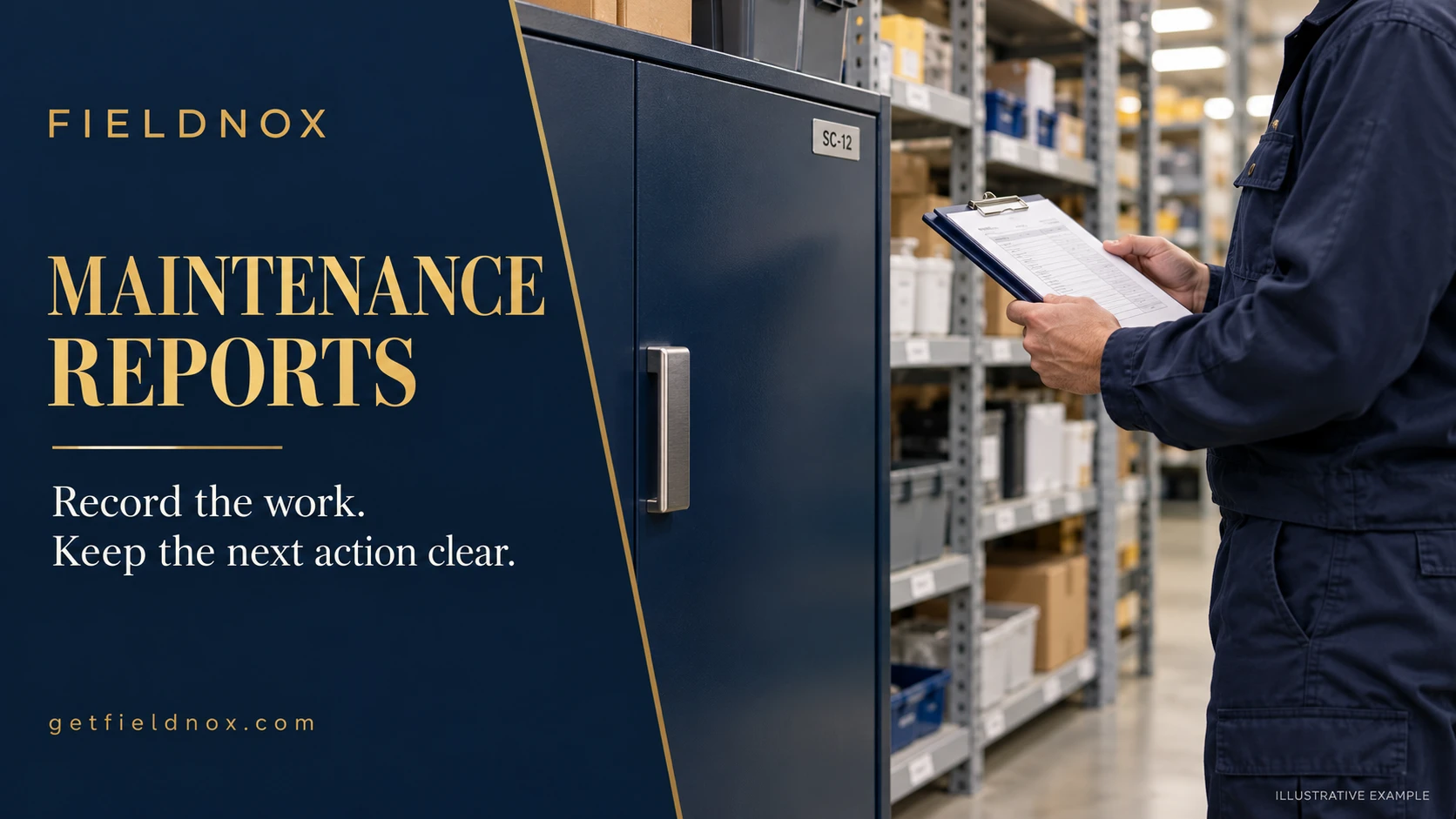
What should a maintenance report include?
A maintenance report connects five things: the asset, its initial condition, the work performed, the verification results, and the handover decision.
“Serviced equipment” is too broad. “Replaced the damaged handle on storage cabinet SC-12; opening and closing checked; rear hinge inspection remains open because stored items blocked access” tells a manager what happened and what to arrange next.
Record the actual visit type: preventive maintenance, corrective maintenance, inspection, or a combination. If a scheduled inspection leads to a repair, show the original task and the additional authorized work separately.
Identify the asset before describing the repair
Use an asset ID and an exact location. “Cabinet in the back room” becomes ambiguous when several cabinets look alike.
Where relevant, add the make, model, serial number, or component reference. If a label cannot be read, record that limitation rather than guessing. Keep the same identifier in the photo captions and any follow-up work order.
Separate observations from causes
An observation describes what you found. A confirmed cause explains why it happened and needs supporting investigation.
For example, “handle mounting is loose” is an observation. “Repeated misuse caused the loose mounting” is a cause claim. If you did not establish the cause, record it as undetermined and describe the finding you can support.
Record checks with their limits
For each check, include the method, result, and applicable acceptance reference. If a measurement matters, include its unit and the instrument or method used.
“Tested OK” does not tell the next technician what was tested. “Door opened and closed five times without binding during the recorded check” states a specific observation. Record uninspected components separately in the open-action section.
Do not replace an asset-specific procedure with a generic checklist. Use the applicable manufacturer instructions and your organization's approved process to define the checks.
Preventive maintenance, corrective maintenance, and inspection
- Preventive maintenance: work planned under a maintenance schedule before a reported failure. Record the task list, scheduling basis, completed tasks, and findings that require follow-up.
- Corrective maintenance: work intended to address an identified fault or defect. Record the reported symptom, actual findings, repair, and verification results. State whether the cause was confirmed or remains undetermined.
- Inspection: a check of condition that may identify a need for maintenance. Record what was examined, the method, findings, and actions assigned. An inspection can finish with a repair still pending.
A visit can combine these activities. Label each task so the reader can distinguish the planned checks from repairs added during the visit.
Adapting this template to your asset
Keep the report structure and replace the example details with the fields your procedure requires:
| Asset type | Fields to add or adapt |
|---|---|
| HVAC equipment | Unit ID, filter or component reference, readings with units, and the procedure defining each check. |
| Pumps and mechanical equipment | Equipment tag, operating hours where recorded, observed leaks or vibration, measurement method, and recorded test results. |
| Vehicles | Fleet ID, odometer reading with units, inspected components, parts references, and the authorized service decision. |
| Building fixtures | Room or area, fixture ID, accessible components, observed defects, and access restrictions. |
These are documentation prompts. Use the applicable asset procedure to define the actual work and acceptance criteria.
Completed maintenance report example
The following example is fictional. It illustrates documentation for an ordinary storage cabinet, not a fire door, electrical enclosure, or other safety-critical asset. Its check results are example observations, not general acceptance criteria.
MAINTENANCE VISIT REPORT

VISIT AND ASSET
Report reference: MR-024
Work order reference: WO-318
Customer: Example Facilities
Site and exact location: Building A, stockroom north wall
Asset ID: SC-12
Asset description: Ordinary storage cabinet
Make and model: Manufacturer label not readable
Visit date: April 7, 2026
Visit start time: 9:10 AM
Visit finish time: 9:45 AM
Technician: Technician A
Maintenance type: Corrective repair plus requested inspection

SCOPE AND INITIAL CONDITION
Requested tasks: Replace damaged handle and inspect accessible hinges
Procedure or authorization reference: Scope and visit checks recorded in WO-318
Previous report or request reference: R-117 identifies damaged handle; no previous service report supplied
Condition before work: Handle cracked at one mounting point
Before evidence IDs: B01 cabinet identification view; B02 handle detail
Access limits: Stored boxes block rear hinge mounting
Excluded tasks: Contents relocation outside this visit scope
Findings and measurements: Cracked handle observed visually; accessible hinge mounting inspected visually; no dimensional measurements taken

WORK AND VERIFICATION
Tasks completed: Damaged handle replaced; accessible hinge mounting inspected
Tasks not completed: Rear hinge mounting inspection
Reason for incomplete tasks: Access blocked by stored boxes
Parts and materials: Replacement handle H-12 as listed on WO-318
Quantity and unit: 1 each
Check method: Five open-close cycles
Check result: No binding observed during those cycles; rear hinge condition not verified
Acceptance reference: Visit check recorded under WO-318; no broader condition approval recorded
Condition after work: Replacement handle fitted
After and exception evidence IDs: A01 matches B01; A02 matches B02; E01 shows boxes blocking rear access

HANDOVER AND FOLLOW-UP
Visit completion status: Partially complete: handle repair done; rear hinge inspection open
Asset operating status: Door opened and closed during the recorded check; complete hinge condition not established
Status confirmed by: Technician A for the recorded check only
Open issue: Rear hinge mounting not inspected
Next action: Clear rear access, then arrange remaining inspection
Action owner: Site manager clears access; maintenance coordinator arranges inspection
Target date: Access clearance by April 9, 2026; inspection date to be confirmed after clearance
Next service or recheck: Rear hinge inspection after access clearance
Scheduling basis: Outstanding task in WO-318; maintenance coordinator confirms appointment
Evidence storage and linked records: Organization WO-318 evidence folder; references R-117 and MR-024

REVIEW AND DELIVERY
Prepared by: Technician A
Preparation date: April 7, 2026
Reviewed by: Maintenance coordinator
Review date: April 7, 2026
Acknowledged by: Site manager
Acknowledgment date: April 7, 2026
Acknowledgment meaning: Receipt of report and open-action list
Missing acknowledgment reason: Not applicable
Report version: Version 1
Delivery date: April 7, 2026
Intended recipient: Site manager and maintenance coordinator
Notice the distinction: the handle repair is complete, but the requested visit is only partially complete. The follow-up owner and access deadline remain visible alongside the finished repair.
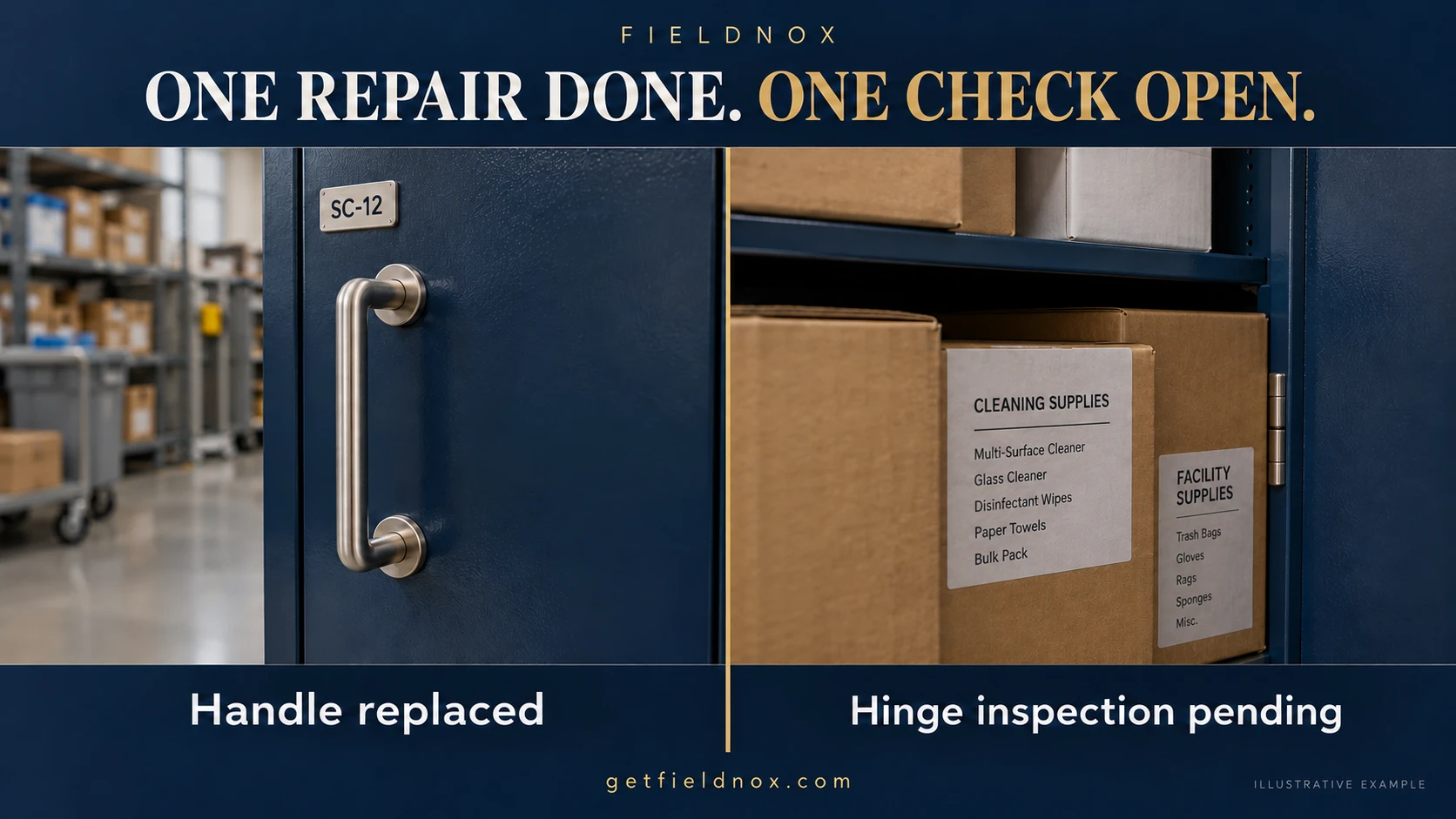
Use photos to support the maintenance record
Choose photographs that help the reader connect the finding to the correct asset:
- Identification view: asset SC-12 and its location.
- Before detail: damaged handle, with a caption describing the visible damage.
- After detail: replacement handle from a comparable angle.
- Exception view: the boxes preventing rear access.
Add a during-work photo when it records a relevant component or condition that will be hidden afterward. Do not add one merely to fill a stage.
Keep written verification results beside the photographs. A picture of a fitted handle documents the visible result; the written check records how it operated during the visit.
For matching views, captions, and missing photographs, see the before and after photo report guide.
Record visit status and asset status separately
These two fields answer different questions.
| Field | Question it answers | Example |
|---|---|---|
| Visit completion status | Were all requested tasks completed? | Partially complete: rear hinge inspection remains open. |
| Asset operating status | What condition or use was actually checked or authorized? | Five open-close cycles observed; full hinge condition not established. |
| Follow-up action | Who does what next? | Site manager clears access; coordinator arranges inspection. |
A completed visit may still identify an asset that needs further work. An asset may also operate during a limited check while part of the maintenance scope remains unfinished.
Record any use restrictions or return-to-service decision from the person authorized to make it under your process. Do not infer unrestricted use from a finished task or a customer's signature.
Maintenance report, maintenance log, or work order?
| Record | Main purpose |
|---|---|
| Work order | Defines and organizes the requested work. |
| Maintenance visit report | Records findings, completed work, verification, and handover for one visit. |
| Maintenance log | Lists successive visits or events against an asset over time. |
Link the records instead of trying to fit the entire asset history into one visit report. Use a log to find the detailed visit reports. This fictional sequence shows how the open task from the example is carried forward and closed:
| Date | Asset ID | Work order | Report reference | Result | Next action |
|---|---|---|---|---|---|
| April 7, 2026 | SC-12 | WO-318 | MR-024 | Handle replaced; rear hinge inspection open. | Site manager clears access by April 9. |
| April 9, 2026 | SC-12 | WO-319 | MR-025 | Access cleared; rear hinge inspection completed; no loose mounting observed. | Coordinator returns asset to the existing maintenance plan. |
| May 7, 2026 | SC-12 | WO-352 | MR-041 | Scheduled visual inspection completed; no new defect observed in inspected areas. | Next visit follows the existing plan. |
The final row assumes an existing monthly plan for this fictional site. It does not recommend a monthly interval for all cabinets or other assets. Each report retains the detailed methods, findings, and decisions behind its summary.
If a customer needs evidence of the agreed scope and work performed, the proof-of-work report template provides a broader handover structure.
Report review checklist
- Confirm that the asset ID and location match the work order and photographs.
- Check that every requested task is recorded as completed, open, or excluded with a reason.
- Separate observed symptoms from confirmed causes.
- Include the actual check method, result, and relevant acceptance reference.
- Give each open action an owner and target date, or explicitly state what still needs scheduling.
- Check that visit status, asset status, and acknowledgment wording agree with the documented limits.
How to test a reporting tool with a real visit
Test a reporting workflow with a real visit that has one completed repair and one unfinished inspection. Check whether the asset reference, photo captions, check results, and open actions remain clear in the customer copy.
Also check what happens when someone corrects a report after delivery: can the team identify the revised version and connect it to the earlier record?
Fieldnox’s Android app brings recorded job details and before, during, and after photos into a PDF report you can share with a customer or manager. Use the completed repair and open inspection in this example to assess whether the current reporting layout communicates both clearly.
Explore the current product to check the available fields and workflow for your maintenance visits.
Explore Fieldnox maintenance reporting
Compare the current Android reporting workflow with your maintenance visits.
Frequently asked questions
What is a maintenance report?
It is a record of a maintenance visit: the asset, requested work, initial findings, tasks performed, checks, final condition, and remaining actions.
Is this template for preventive or corrective maintenance?
It can record either. State the visit type and use the relevant asset-specific procedure. For a combined visit, distinguish planned inspection tasks from repairs added during the visit.
Should I include a suspected root cause?
You can record a suspected cause if you label it clearly and explain the supporting observations. Do not present it as confirmed when the investigation has not established it.
What if part of the asset was inaccessible?
Identify the component, explain the access limit, and record the check as not completed. Assign the access action and the remaining inspection separately when different people own them.
Does a completed maintenance report mean the asset is safe to use?
The report records the work and checks performed. A return-to-service or use decision must follow the applicable procedure and be recorded by the authorized person. A generic completion label cannot substitute for that decision.
How should I choose the next maintenance date?
Record the scheduling basis, such as the applicable maintenance plan, manufacturer instructions, operating hours, or an authorized follow-up decision. If the date has not been agreed, say who will confirm it.
Can a customer signature close an unfinished task?
Record what the acknowledgment means. Receipt of the report does not change an unfinished inspection into a completed one. Keep the open action visible until its completion is documented.